 Niwa
NiwaGarden planner apps that work offline
Gardens are outdoors, often at the end of a long garden or on an allotment with one bar of signal. Most garden planners are websites, and websites do not work there.
For a head to head of the five main options, see the best garden planner apps for iPhone. This guide covers the single criterion that decides most of them.
Almost every well-known garden planner is a web application. The Old Farmer's Almanac planner, GrowVeg, VegPlotter and SFG Planner all run in a browser, keep your plan on a server, and need a login and a connection.
That is a reasonable architecture for something you use at a desk. It is a poor one for something you use standing in a bed.
Where connected planners break
The moments you most want a garden planner are the moments a web app is least available:
- Standing over the bed, deciding whether the gap next to the broccoli takes lettuce or beans. This is the core use case, and it happens fifty metres from your router.
- On an allotment or community plot, where mobile coverage is frequently one bar or none.
- In a garden centre, holding a seed packet, trying to remember whether you already have that variety and whether it fits.
- In a greenhouse or polytunnel, whose structure attenuates signal noticeably.
- On a rural property, where the answer is simply no.
There is a second-order problem too. A browser-based plan is a page you have to find, log into and wait for. That friction is enough that most people check it rarely, and a plan you do not consult is a plan you do not follow.
The subscription question
Garden planning is seasonal. Heavy use in February and March, light use through summer, nothing from November to January. An annual subscription charges for twelve months of a tool used intensively for about two.
That mismatch is why so many people subscribe for one season, plan a garden, and cancel, losing access to the plan they made, which is precisely the record they would want next spring when working out their rotation.
The test worth applying: if you stop paying, do you keep your garden plan? With a server-side planner, generally not. With an on-device app, the data is already on your phone.
What an account actually costs you
Garden data seems innocuous, and mostly it is. But a garden plan tied to an account is a record of your location precise enough to be useful (your grow zone, frost dates, often your postcode) combined with property information and a behavioural profile of when you are outdoors.
Most planners monetise a free tier with advertising and analytics. That is a normal business model, and it is worth understanding that in it you are the product being measured.
The alternative is simply not collecting it. An app that stores everything on-device has nothing to leak, nothing to sell, nothing to lose in a breach, and no account for you to recover when you come back in February.
What to look for
- Is the plant database on the device? The real test. An app that downloads plant data on demand is a website in a wrapper. Turn on airplane mode and search for a plant. If it fails, it is not offline.
- Does it work with no account? A required login means server-side storage, which means dependency and data collection.
- Is it native? Native apps get widgets, notifications and proper performance. Wrapped web apps generally do not.
- Can you export or keep your data? Your planting history is worth more each year. It should not evaporate with a lapsed subscription.
- Does the free tier do the actual job? A free tier that only lets you place three plants is a demo, not a free tier.
How Niwa is built
Niwa is a native iOS app for iPhone, and the architecture follows from the use case rather than the other way around.
| What | Where it lives |
|---|---|
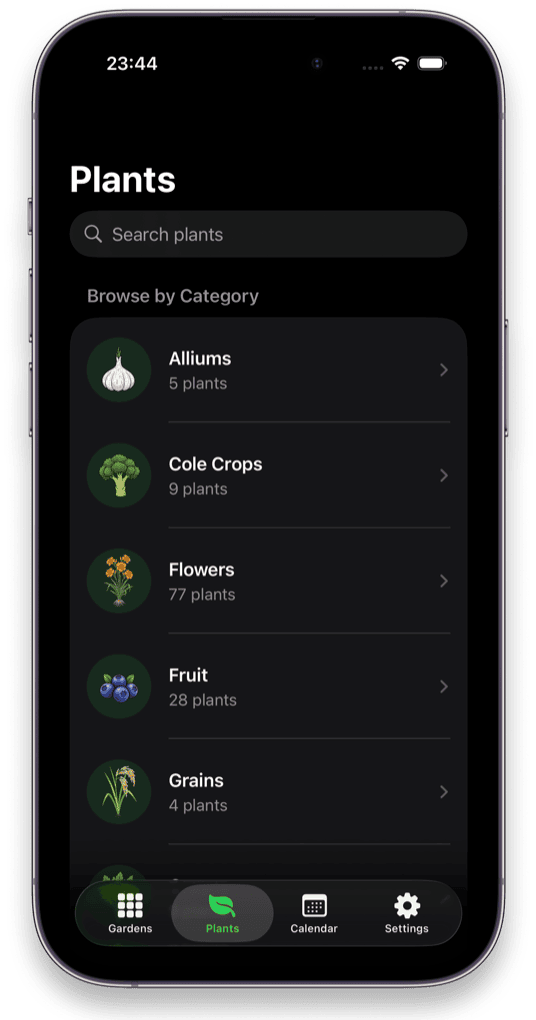
| 200+ plant library, eight reference sections per plant | Inside the app |
| Your garden layouts and beds | On your device |
| Grow zone, frost dates, planting calendar | On your device |
| Plant diary and photos | On your device |
| Seed inventory | On your device |
| Per-square crop rotation history | On your device |
| Analytics, advertising, tracking | Nowhere. There is none. |
The app is around 138 MB, and that size is the point: the entire plant library is shipped rather than fetched. It is also why there is no account to create, because there is nothing on a server to log into.
Related: keeping a private garden journal, and how to plan a vegetable garden layout.