Square foot grid planner
Drag a plant onto your bed and Niwa fills the square at the right density (1, 4, 9 or 16) and draws the grid for you. Raised beds, in-ground plots and multiple gardens.
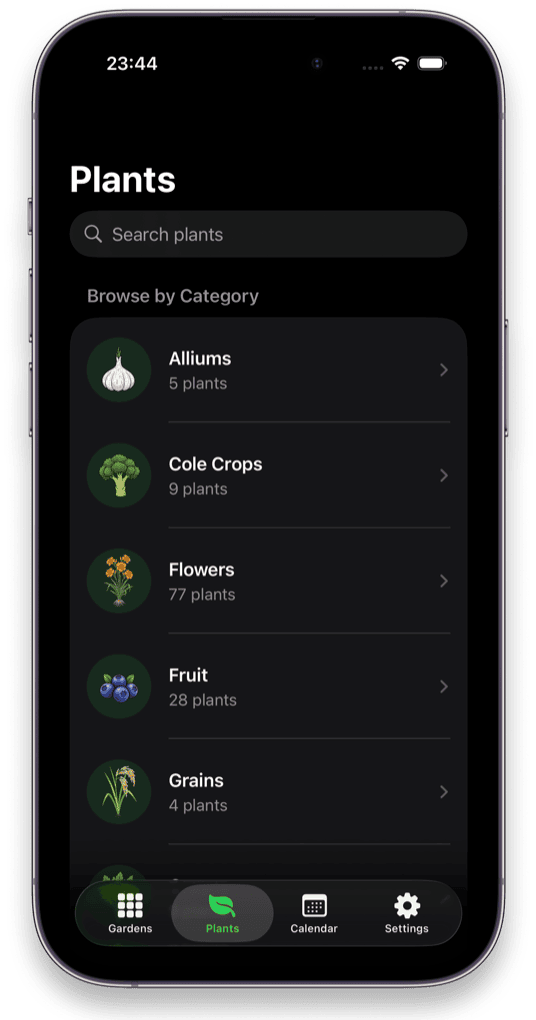
Niwa lays your vegetable garden out on a square-foot grid, tells you exactly when to plant for your zone and frost dates, and remembers what grew in every square. 200+ plants, entirely on your iPhone.
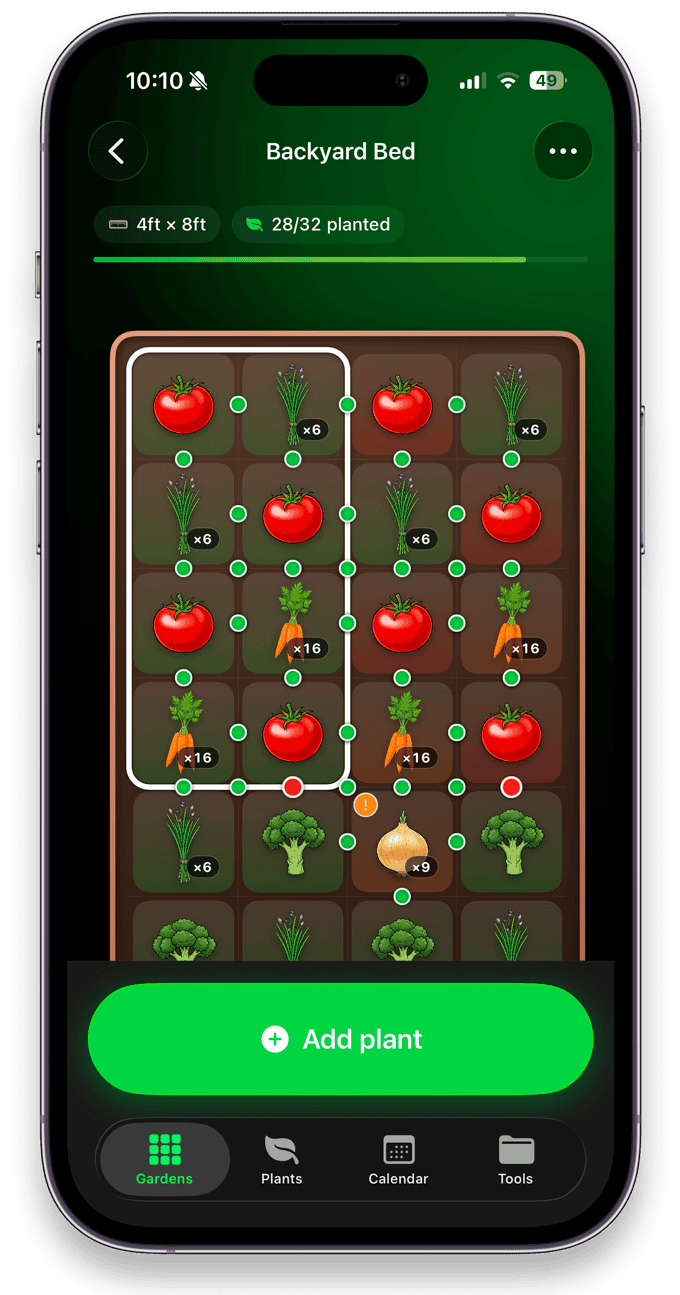
Spacing, timing, companions and rotation: the four things that decide whether a bed produces or disappoints. Niwa handles all four before you put a single seed in the ground.
Drag a plant onto your bed and Niwa fills the square at the right density (1, 4, 9 or 16) and draws the grid for you. Raised beds, in-ground plots and multiple gardens.
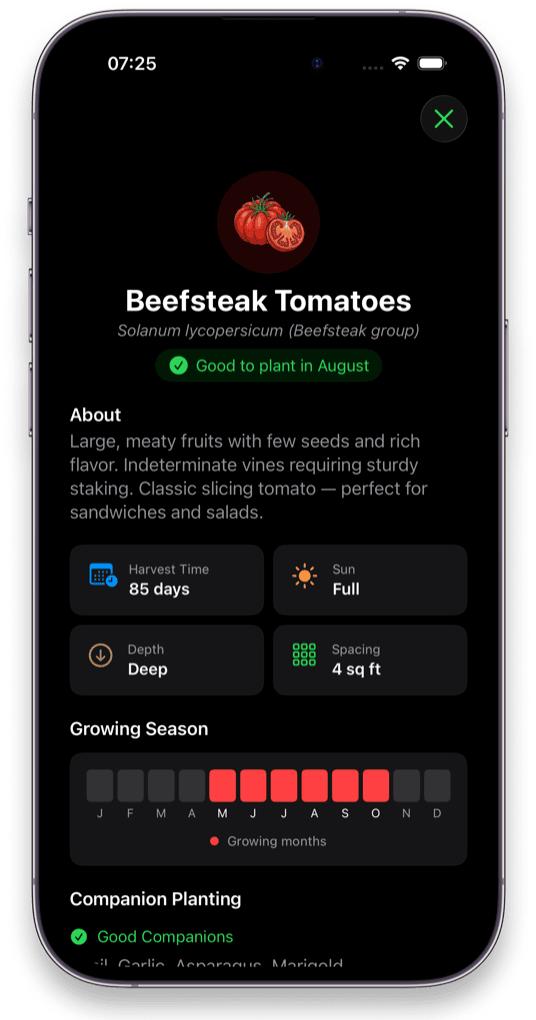
Set your location once. Niwa turns your USDA grow zone and frost dates into a personal sow, transplant and harvest window for every plant in the library.
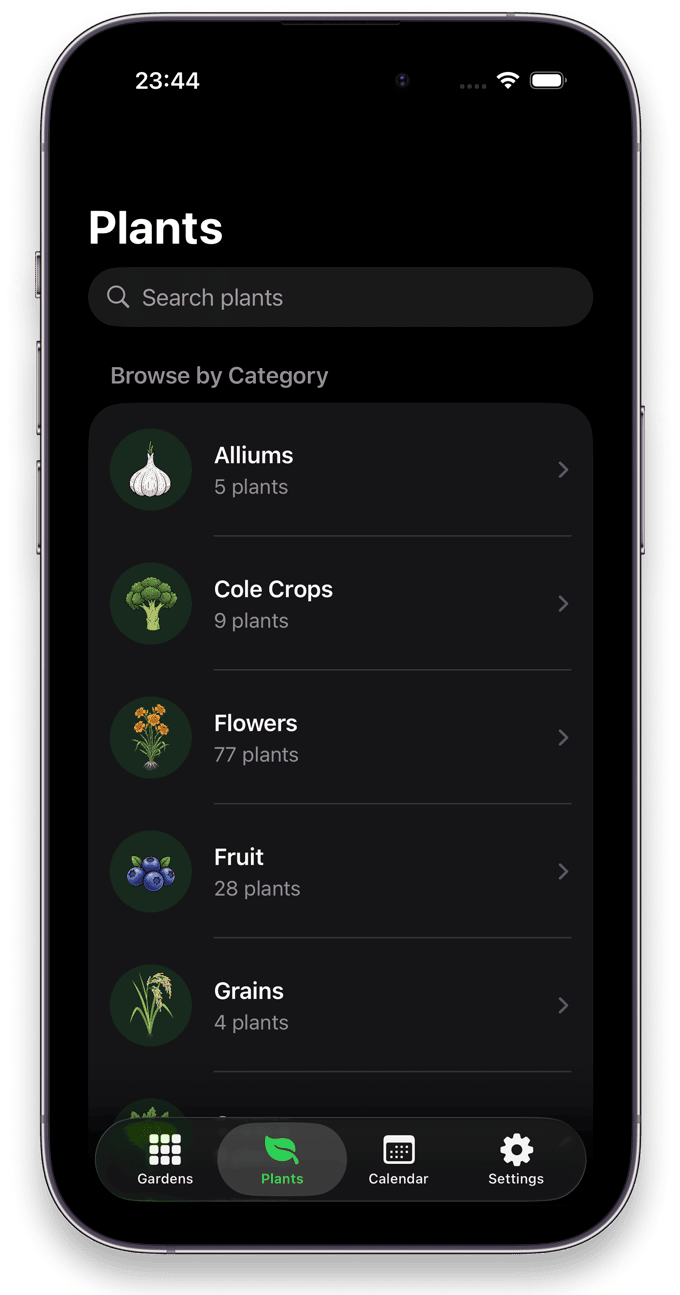
Vegetables, fruit, herbs, flowers, grains and trees. Each one is organised into eight reference sections, running from seeding and cultivation through to harvest, storage and nutritional value.
Good neighbours highlighted, bad ones flagged the moment you place them. Basil next to tomatoes, fennel nowhere near anything.
Every square remembers which plant family grew there and when. Niwa warns you before a family returns too soon and tells you the exact year the ground is free.
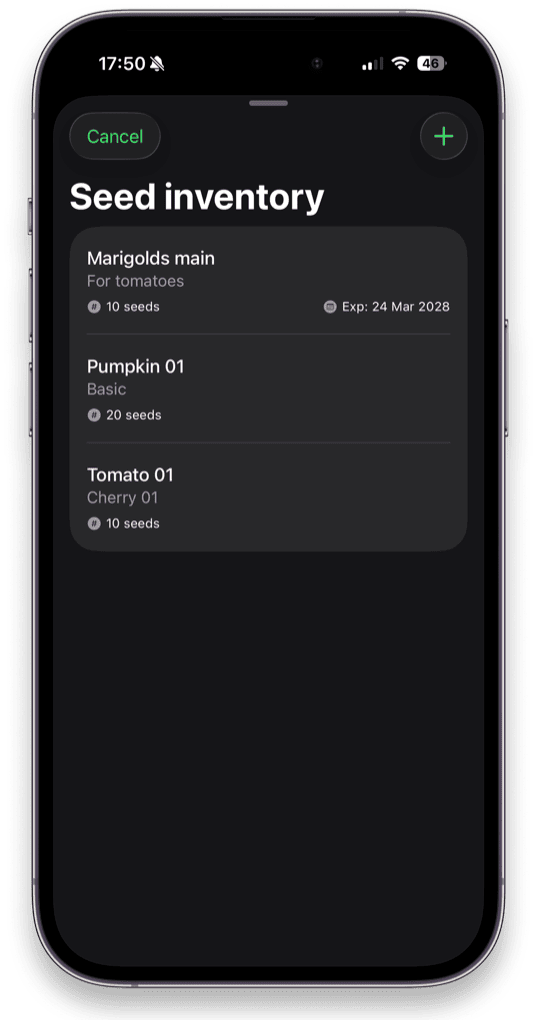
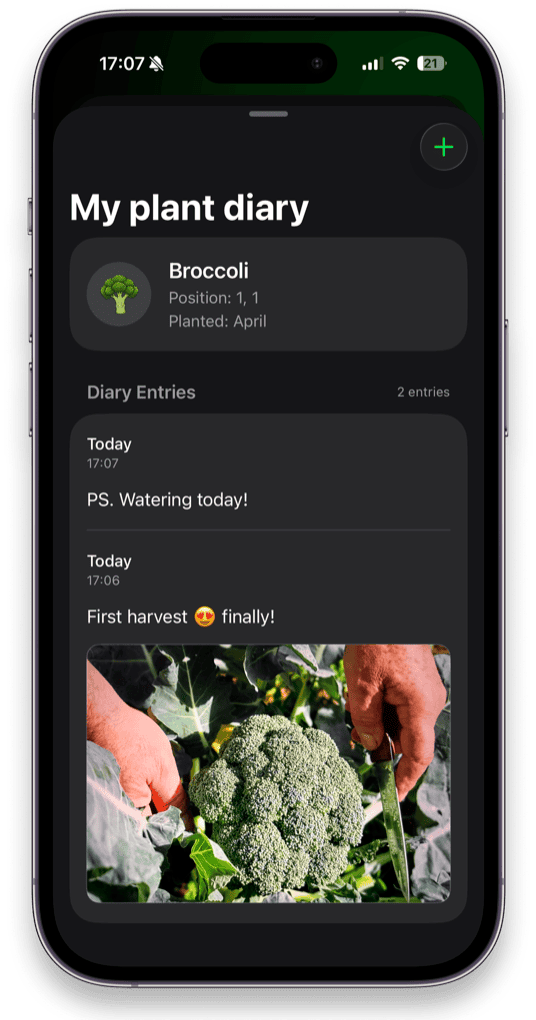
Timestamped notes and photos on each plant, plus every seed packet you own with quantities and expiry dates. Nothing wasted, nothing forgotten.
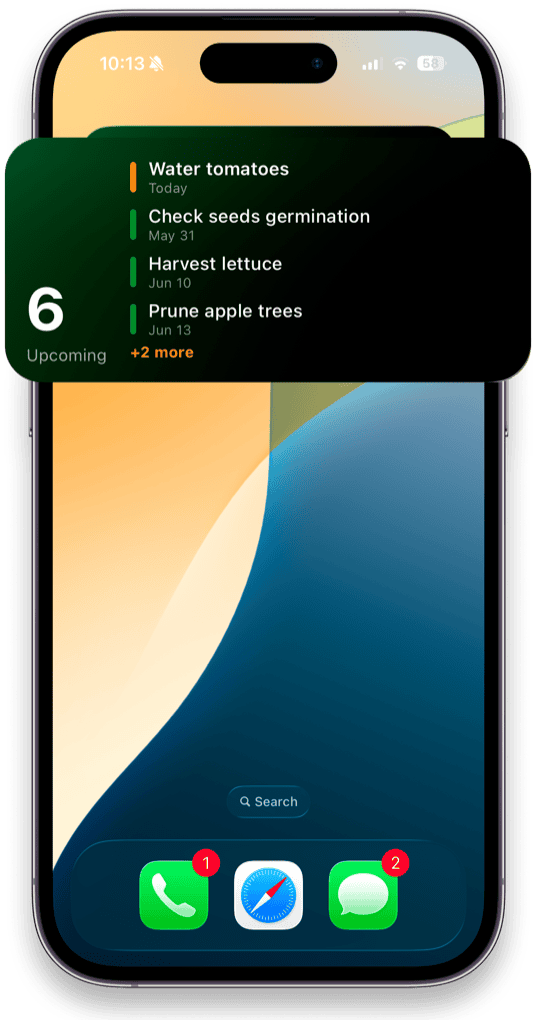
Watering, germination checks, harvest and pruning surface on your Lock Screen so the bed doesn't slip your mind in week six.
The whole library ships inside the app. No account, no sign-in, no analytics, no ads. Your garden data never leaves your iPhone.
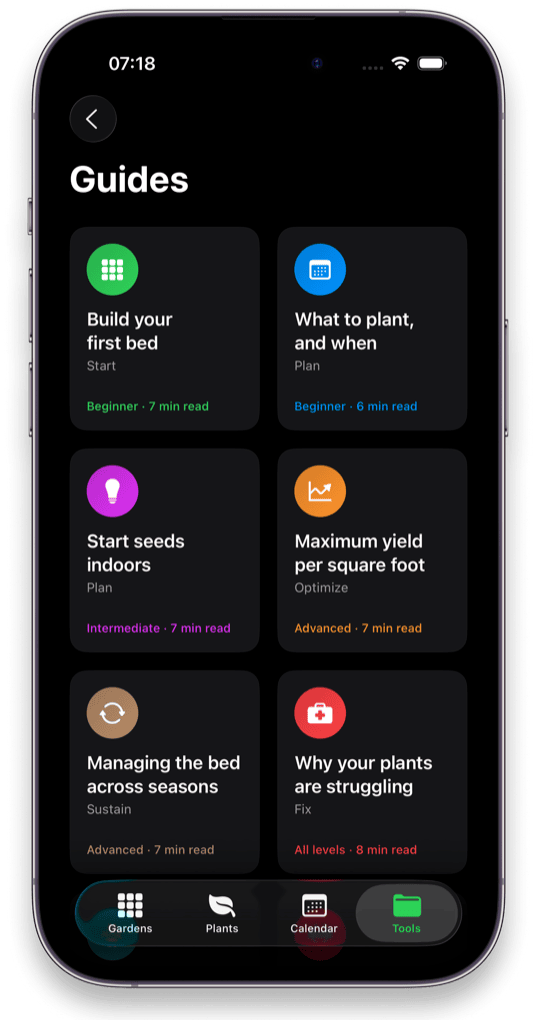
Eight step-by-step guides, from building your first raised bed to maximising yield per square foot and diagnosing plants that won't thrive.
A native iOS app built for iPhone, not a website in a wrapper.
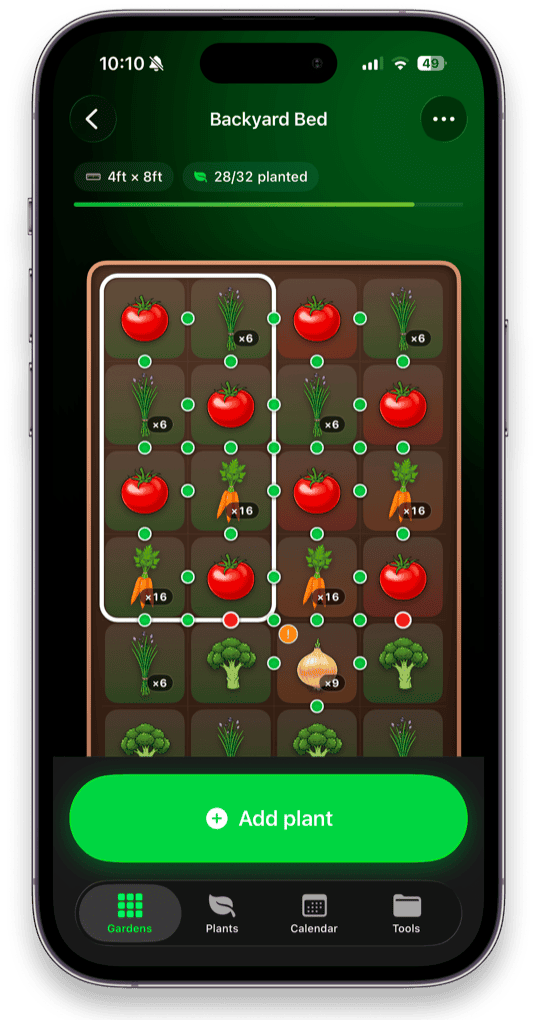
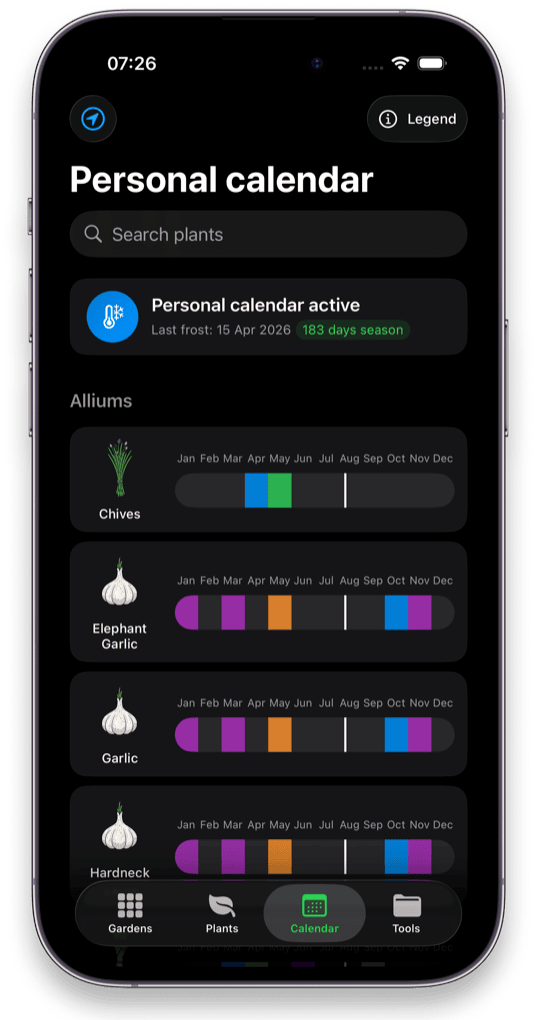
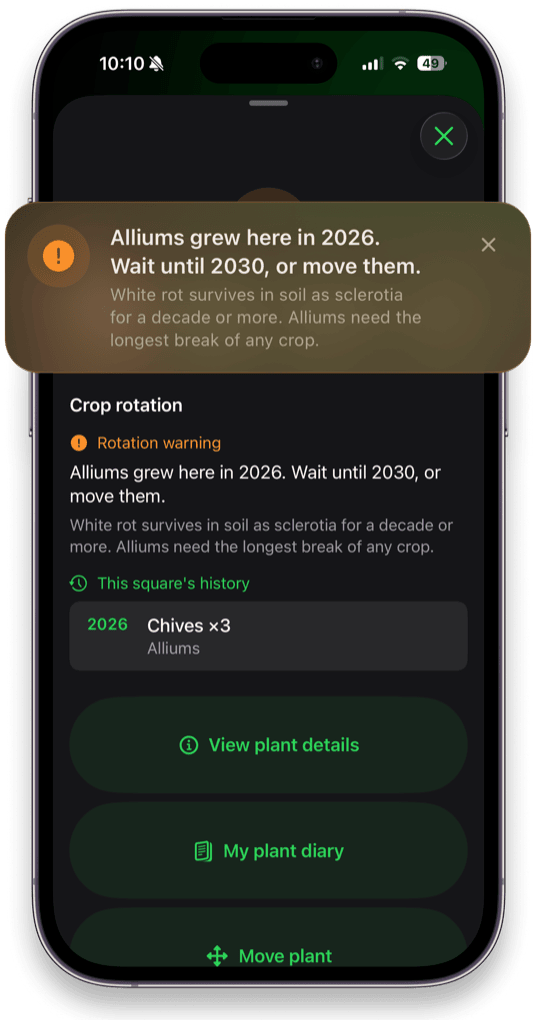
Most people finish their first garden layout in under ten minutes.
Niwa reads your USDA grow zone and your first and last frost dates, then uses them for every date it ever shows you.
Enter the dimensions of each raised bed or plot. Niwa divides it into one-foot squares and draws the grid.
Pick from 200+ plants. Spacing is applied automatically, companions are highlighted and bad neighbours are flagged.
Your calendar fills with sow, transplant and harvest dates. Reminders land on your Lock Screen when it's time.
“A very solid home garden planner that provides a lot of features which seem to be missing from other similar apps. The plant information section and planting calendar alone are worth the download.”
AnotherAndTryYetAgain · App Store“Well thought out, well designed, and spam free. It's perfect for using the square foot gardening method because it draws the grids. I especially love how it recognizes companion plants and USDA zones.”
Livi · App Store“I'm a professional gardener and this is very similar to how I layout gardens using square footage. The developer is very open to suggestions and I've passed on a few, and they've been very receptive.”
AtomAngel · App StoreFree, practical answers to the questions gardeners actually search, each one showing how to turn the answer into a real planting plan in Niwa.
Bed size, sun mapping, plant placement and paths: the full method, step by step.
Read the guideThe complete 1 / 4 / 9 / 16 chart for 60+ crops, and how to use it on a real bed.
Read the guideWhy frost dates beat calendar months, and how to build a schedule from yours.
Read the guideThree tested layouts for the most common raised bed size, square by square.
Read the guideThe eight plant families, how long each needs off, and how to rotate a single bed.
Read the guideFive apps compared on price, offline use and widgets, and what each is best at.
Read the guideWhat your zone measures, what the 2023 map changed, and the four things it cannot tell you.
Read the guideNiwa is a native iPhone app for iOS 18 and later. Optional upgrades unlock advanced features, but planning your first garden costs nothing, and there's no account to create.
Niwa is a free native iPhone garden planner that draws your beds on a square-foot grid, builds a planting calendar from your grow zone and frost dates, and ships with a 200+ plant library. The difference from web-based planners like the Old Farmer's Almanac Garden Planner or VegPlotter is that Niwa is a real iOS app: it works fully offline, needs no account, and doesn't put your first garden behind a subscription.
Learn more: garden planner apps that work offlineMeasure your bed, divide it into one-foot squares, then assign each square a crop based on its mature spacing, sun requirement and height. Tall crops go on the north side so they don't shade shorter ones, plants with similar watering needs get grouped, and you leave a path every four feet so you can reach the middle without compacting the soil. Niwa does the spacing arithmetic as you drag plants onto the grid, so a layout that would take an evening on graph paper takes about ten minutes.
Learn more: how to plan a vegetable garden layoutSquare foot gardening uses four densities. One plant per square for large crops: tomatoes, broccoli, cabbage, peppers, eggplant. Four per square for lettuce, chard, basil and marigolds. Nine per square for bush beans, beets, spinach and turnips. Sixteen per square for carrots, radishes, onions and scallions. Niwa applies the correct density automatically the moment you drop a plant on the grid, and shows the count on the square.
Learn more: the full square foot spacing chartPlanting dates come from your last spring frost and first fall frost, not from the calendar month. Zone 5 and zone 8 are weeks apart in April. Cool-season crops like peas, spinach and brassicas go in four to six weeks before your last frost. Warm-season crops like tomatoes, peppers, beans and squash go in one to two weeks after it, once soil temperature is up. Set your location in Niwa and every plant in the library gets a personal sow, transplant and harvest window.
Learn more: when to plant vegetables in your zoneThe pairings that genuinely cost you yield: fennel next to almost anything, alliums (onion, garlic, chives, leeks) next to beans and peas, tomatoes next to brassicas or potatoes, and dill near carrots once it bolts. Most other "enemies" you'll find on Pinterest charts are folklore. Niwa flags a genuinely combative pairing the moment you place the second plant, while it's still a plan you can change, not a bed you've already dug.
Learn more: what not to plant togetherBasil, marigolds, chives, garlic, borage, parsley, carrots and lettuce all earn their place next to tomatoes: basil and marigolds for pest pressure, borage and parsley for the beneficial insects they pull in, lettuce and carrots because they use the space tomatoes leave empty low down. Keep brassicas, potatoes, corn and fennel away. In Niwa, the tomato plant page lists its good companions and combative pairs, and the grid shows companion markers directly on the bed.
Learn more: what to plant with tomatoesYou rotate by plant family, not by individual crop. Tomatoes and potatoes are both nightshades, radishes are brassicas, and the soil doesn't care what you call them. Aim for three to four years before a family returns to the same soil, and longer for alliums, whose white rot survives as sclerotia for a decade. In a small bed you rotate square by square rather than by whole bed. Niwa records the family in every square each season and warns you with the exact year that ground is clear again.
Learn more: building a crop rotation planCount backwards from your last frost date. Peppers and eggplant need eight to ten weeks, tomatoes six to eight, brassicas four to six, and cucumbers and squash only three to four. Start those too early and you get leggy, root-bound transplants that never catch up. Niwa runs that subtraction for every plant using your own frost date and puts the resulting sow-indoors date straight on your calendar.
Learn more: when to start seeds indoorsYes, completely. The full 200+ plant library, your garden layouts, your planting calendar, your diary and your seed inventory all live on your device. The app behaves identically at the far end of an allotment with one bar of signal as it does on wifi. There's no account to create and nothing to sync, which is also why there's nothing to leak.
Learn more: why offline matters in a garden appNiwa is free to download and free to plan a garden with. Optional All Access and Premium upgrades unlock advanced features for a one-off or recurring price, but nothing is required to lay out your first bed. There is no tracking, no analytics SDK, no advertising and no account, so your garden data never leaves your iPhone. That's a design decision, not a feature we're saving for a paid tier.
Learn more: keeping a private garden journal
Or, better, on a grid that knows how far apart carrots go, when your last frost is, and what grew in that square three years ago.
Download Niwa free Free on the App Store · iOS 18+ · Works fully offline · No tracking